What is Plan Builder?
Plan Builder is a workflow tool made specifically for managing and creating EHS plans and programs for your workforce. You can search from a library of curated EHS plans and customize them to meet the needs of your organization. Plans can be revised and reviewed for compliance, as well as copied and distributed easily.
Finding Plan Builder
This module may be accessed through your EHS Hero platform via a featured widget or in your Tools section. You may also log in directly at https://ehsplanbuilder.blr.com/#/login.
The first time you log in, you may be asked to provide some preliminary information for your user profile.
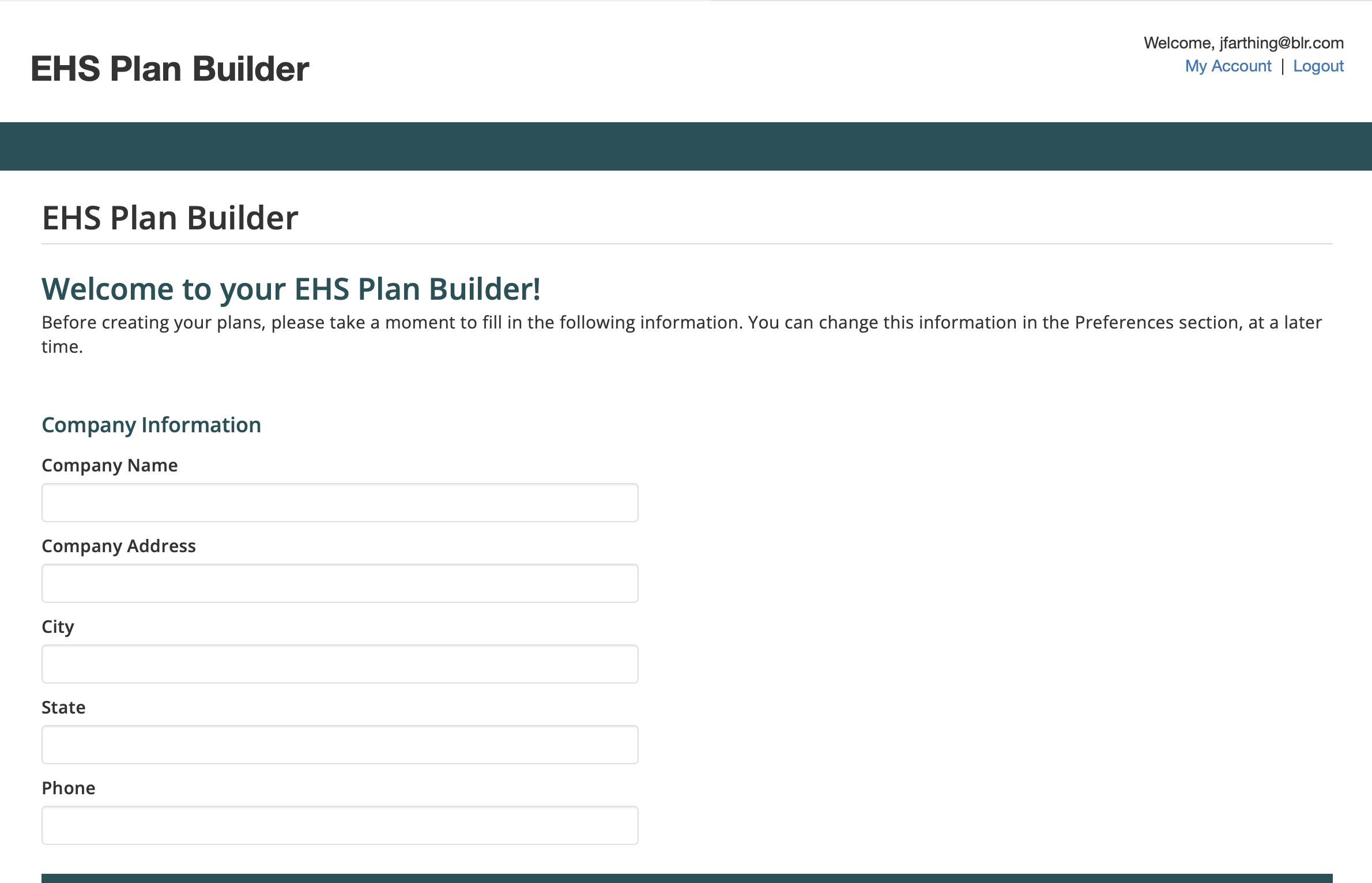
Initial Profile
From there, you can access your dashboard. In the dashboard is where you’ll find the most recent revision, last edited plan, as well as other profile information. From here, some of the most relevant features of the Plan Builder are at your disposal.
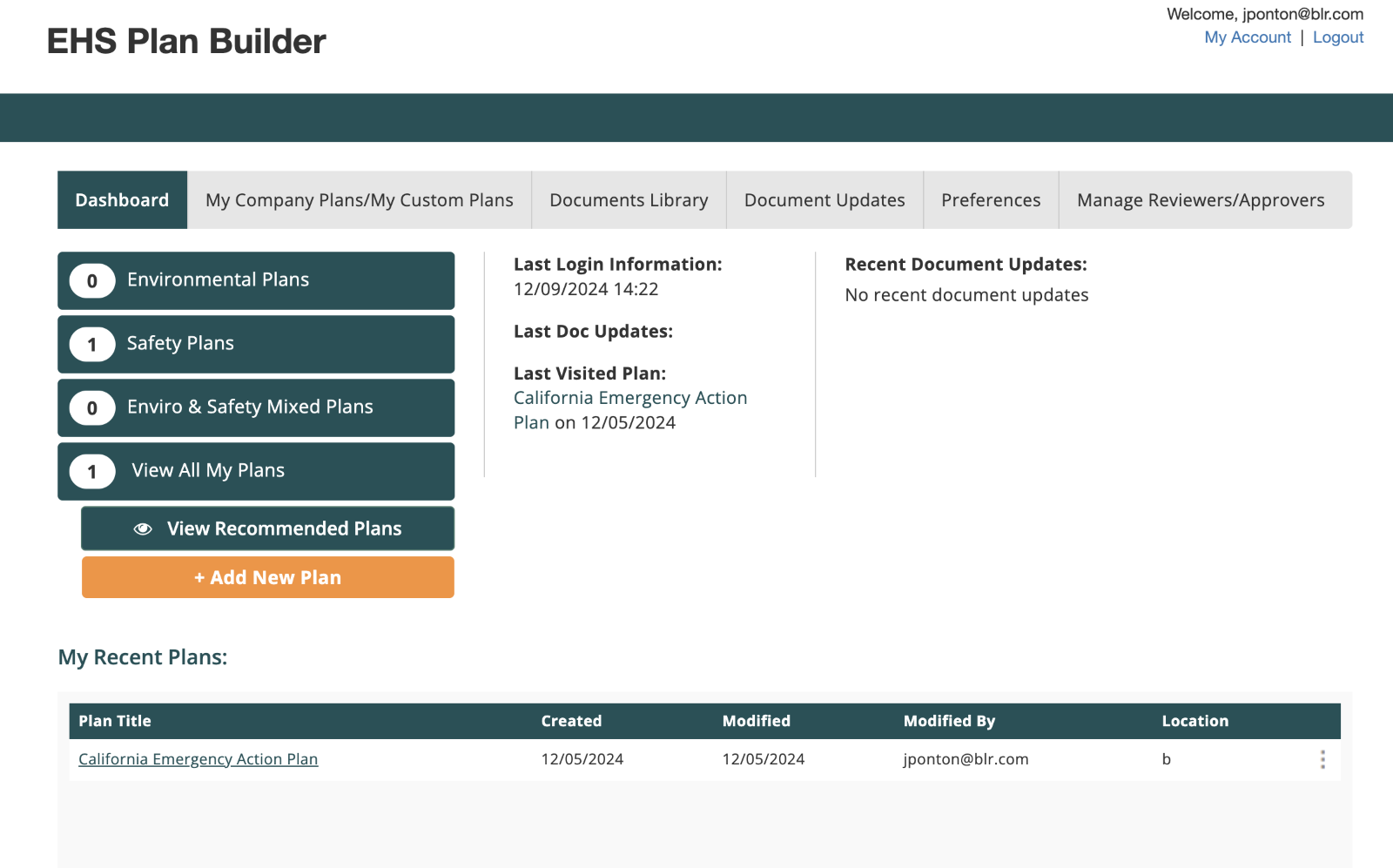
Plan Builder’s dashboard
How Can I Build a New Plan?
First, you want to determine applicability. We will make plan recommendations based on information you provide in your preferences.
1. Click on the Preferences tab.
2. Follow the steps to provide information for your:
- Company information
- Locations (up to 5)
- To bulk import locations, click "Add/Manage Locations" then Import
- Click the icon to download the import template, then upload your formatted locations
- Plan formatting preferences (including logo)
- Industry and hazard selections
3. Press Save.
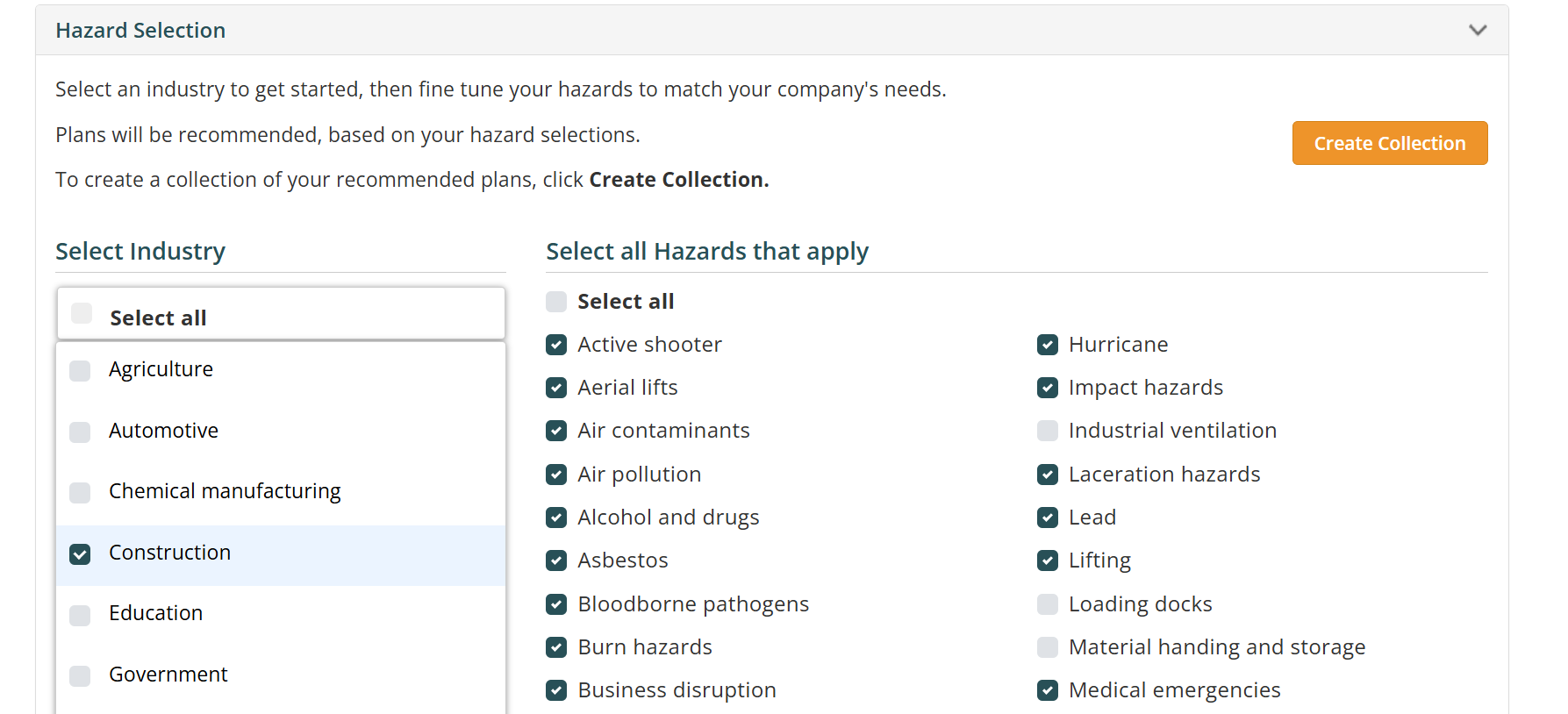
Hazard Selection
Now, go to My Company Plans/My Custom plans and click Create New to get started building your plan.
Step 1 | Select
Time to choose your plan documents. Select the Recommended filter to see those plan documents we recommend based on your profile. Choose the documents you would want to add to your plan and click Create Plan.
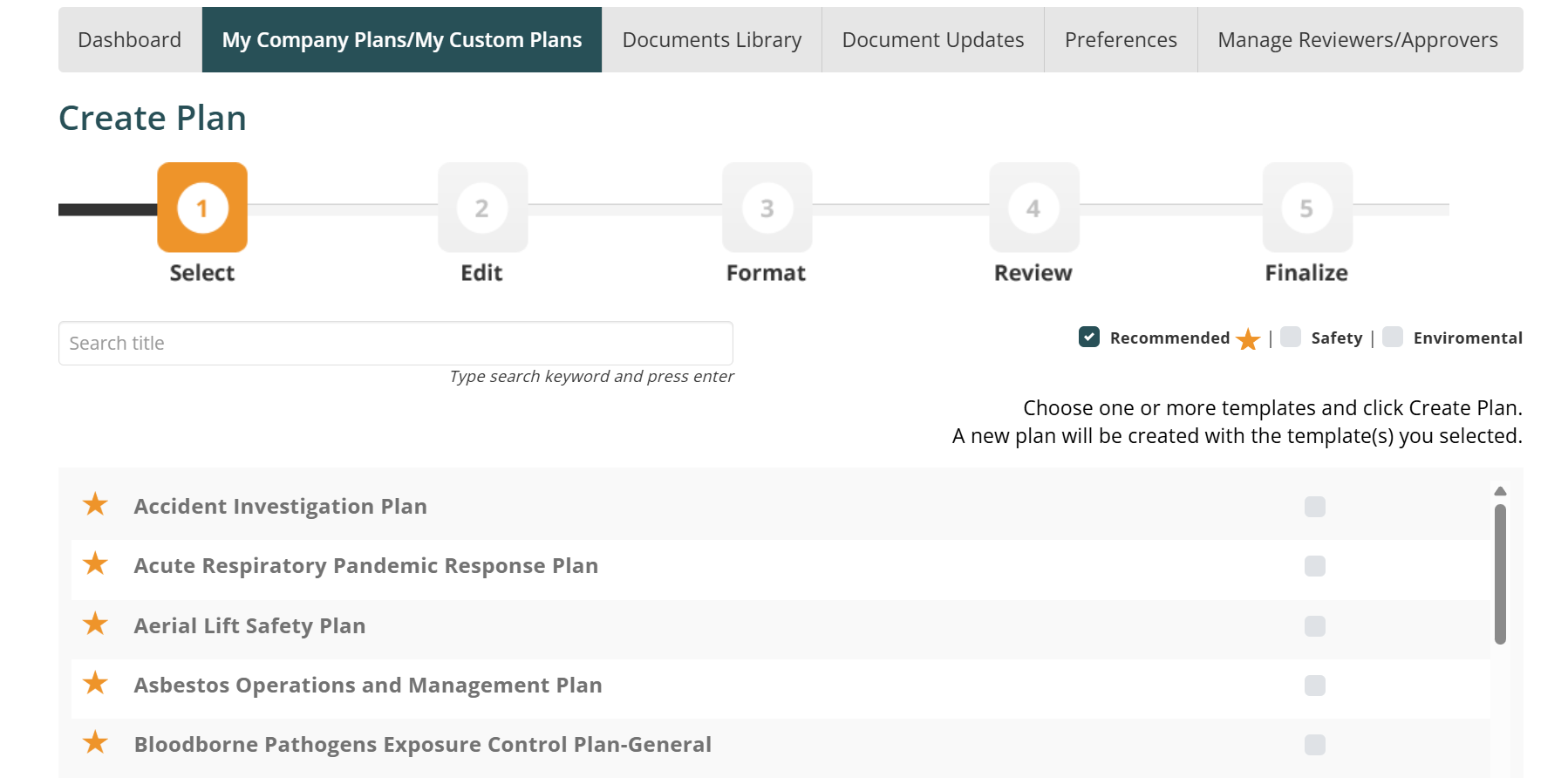
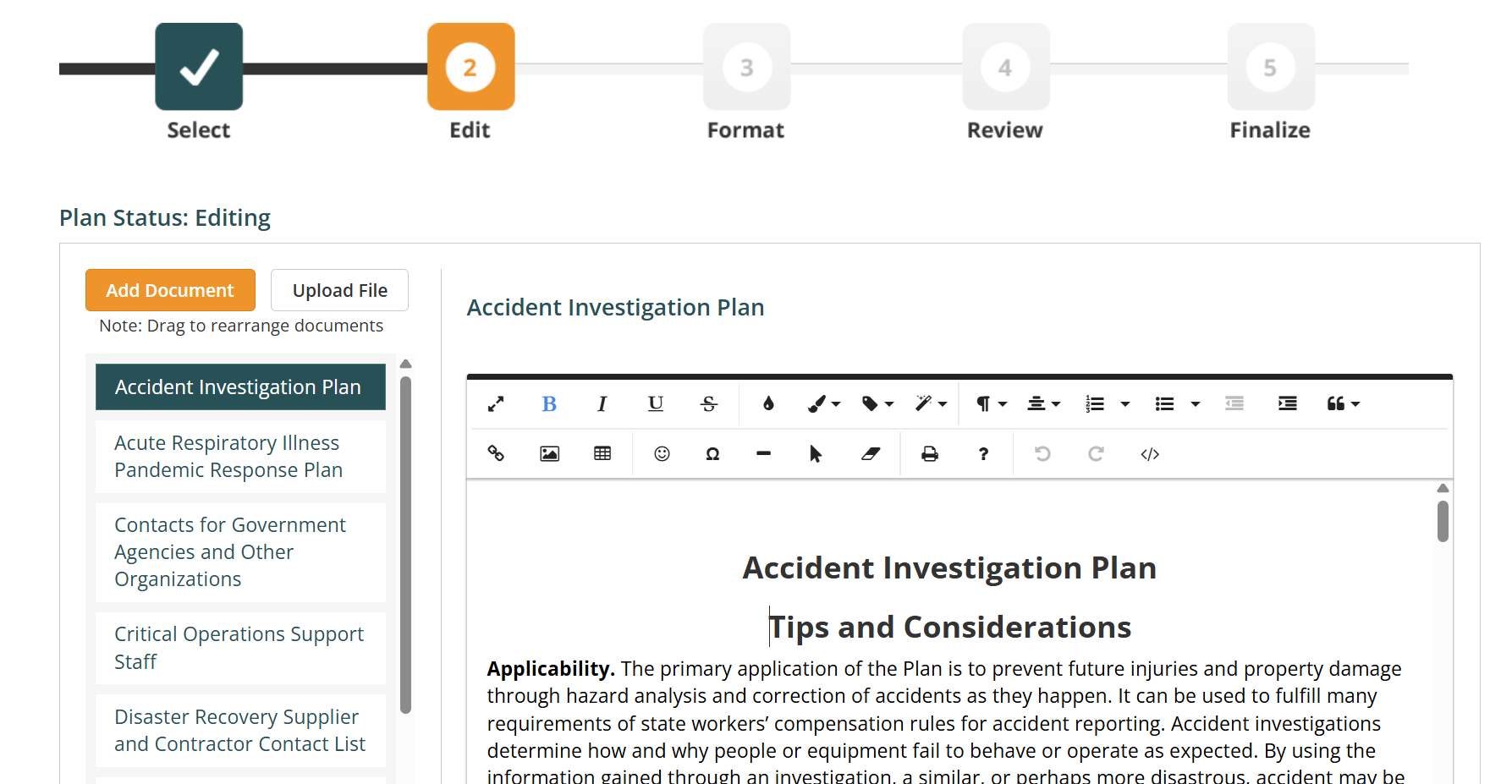
Step 2 | Edit
Customize your plan documents or fill out the placeholder values to make it your own. In the left rail, you may also drag and drop the order of documents or add additional external documents like site maps or other policies.
Step 3 | Format
Time to add the finishing touches. At this step, you can standardize things like font, page alignment and location to make sure your Plan matches the rest of your organization’s releases.
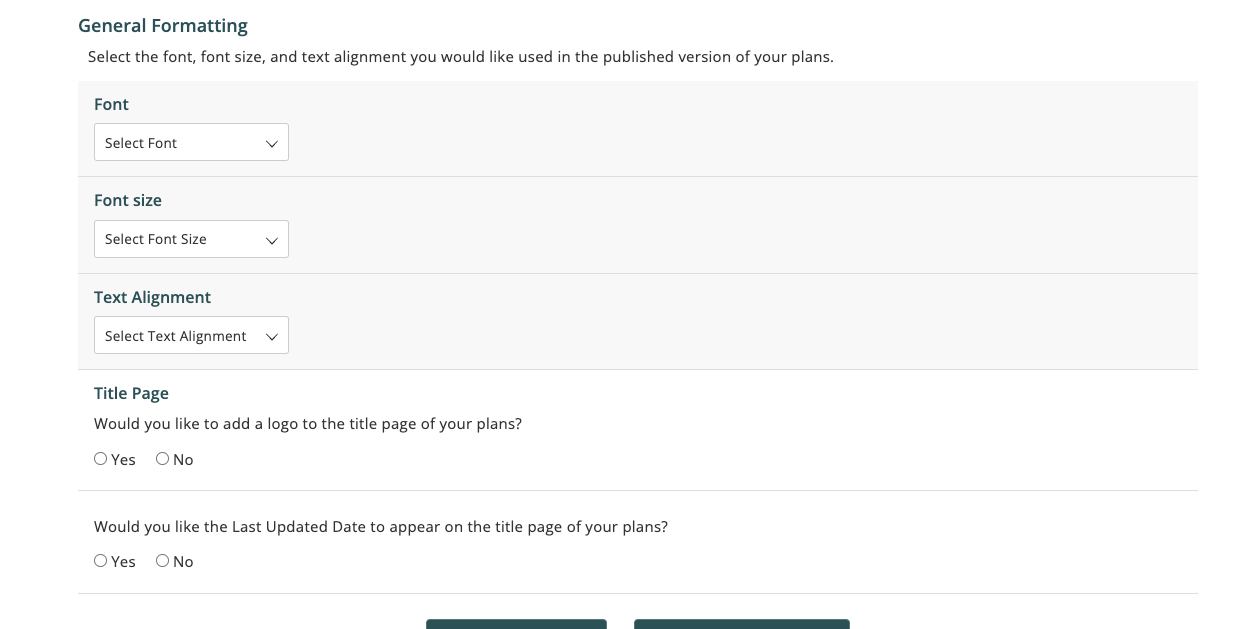
1c. Formatting Selections
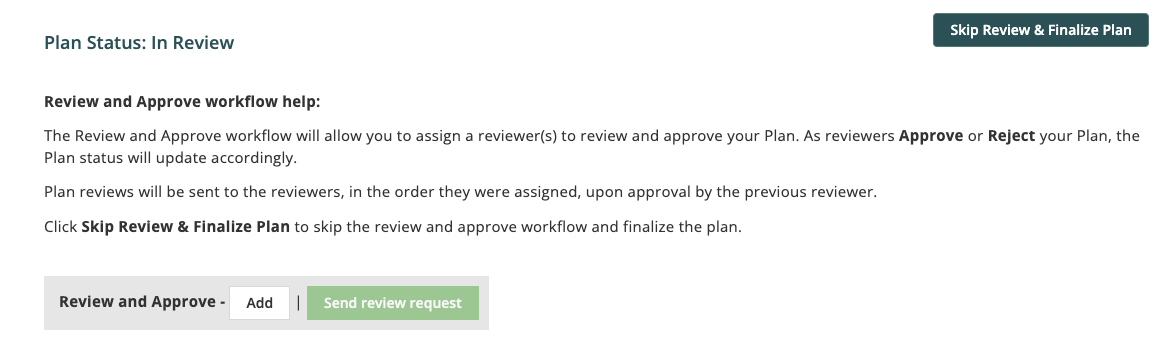
Step Four | Review
Once a Plan has been edited and properly standardized, it’s ready to be submitted for Review. At this step, it can be submitted to various members of the team – or, if no verification is needed, this can be skipped altogether.
Step 5 | Finalize
All that’s left at this step is to get ready for distribution. You can export to Word or Print directly from the Tool. If neither, HTML is also supported.
And that’s the process of creating a Plan from start to finish. But there’s a few other highlights.
What Else Can Be Done in the Plan Builder?
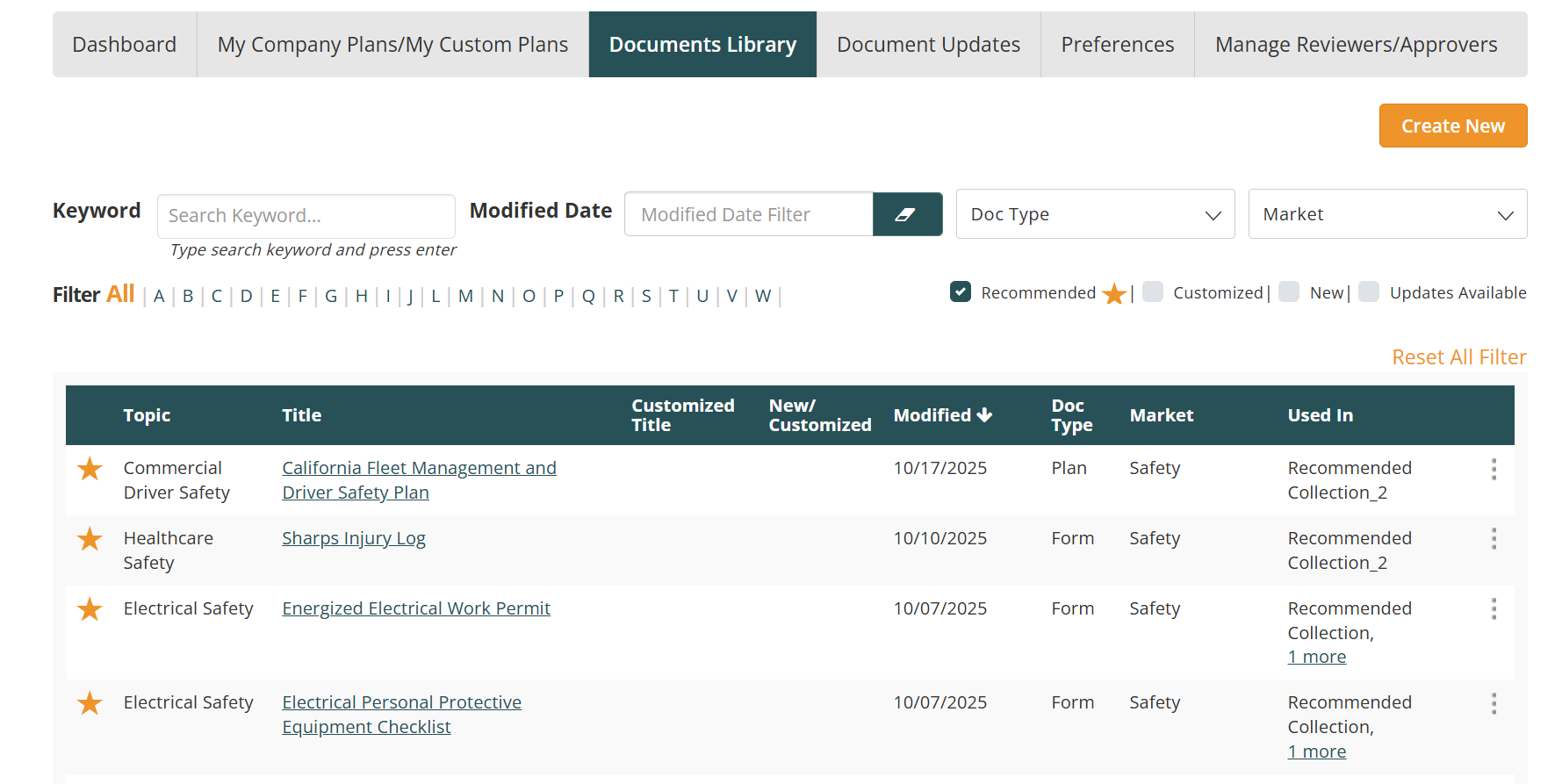
Documents Library: Here you can create your own plan documents or find find our recommendations based on your profile. Click on the ellipses to edit or download a plan document.
Document Updates: Here is where you’ll see changes made to the documents you’ve modified.
Manage Approver/Reviewers: This a settings page that allows for different members of the team to be added and managed to review Plans.
Preferences: These are settings that are standardized across Plans.
For more tips, or if you need any assistance – feel free to reach out to your BLR representative or submit a ticket at:
Was this article helpful?
That’s Great!
Thank you for your feedback
Sorry! We couldn't be helpful
Thank you for your feedback
Feedback sent
We appreciate your effort and will try to fix the article